| Menu File: | |
| Load: | Load a .hex file, or a .bin file (dumpfile) |
| Show logfile: | For debugging |
| Show loaded file: | Shows the loaded file, as hex numbers |
| Quit: | Quit the program |
| Menu Flash: | |
| Verify: | Compare the loaded file with the flash content |
| Write: | Write the loaded file to the flash |
| Dump to file: | Dump the content of the flash to a file |
| Show: | Show the content of the flash on screen |
| Erase: | Erase flash |
| Menu Lock: | |
| Mode 2: | Lock the flash in mode 2 |
| Mode 3: | Lock the flash in mode 3 |
| Mode 4: | Lock the flash in mode 4 |
| MMenu Help: | |
| About: | About |
| Buttons: | |
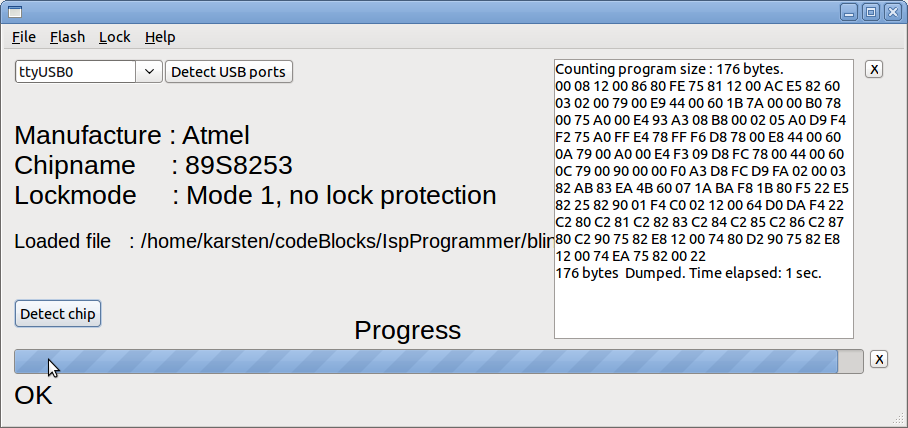
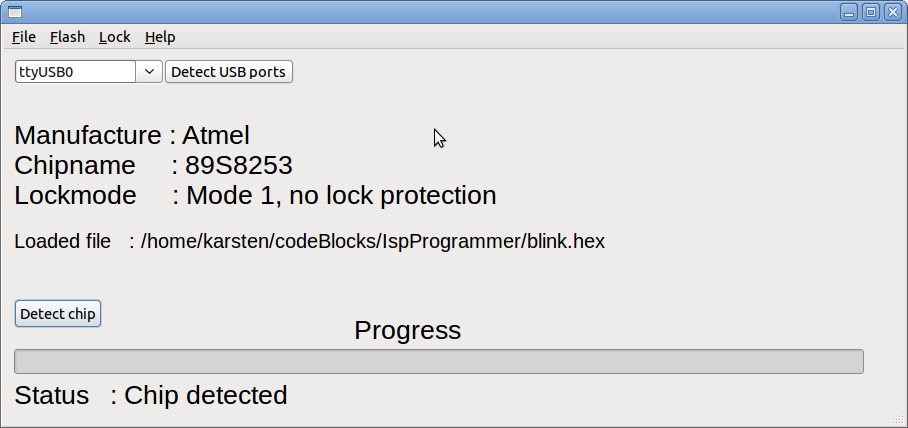
| Detect USB ports: | Detect the USB port(s) for Arduino if more than one USB port, you can select from the dropdown field |
| Detect chip: | Detect the chip type, connected to the isprogrammer |
| x-button at the end of the progressbar: | Abort running job |